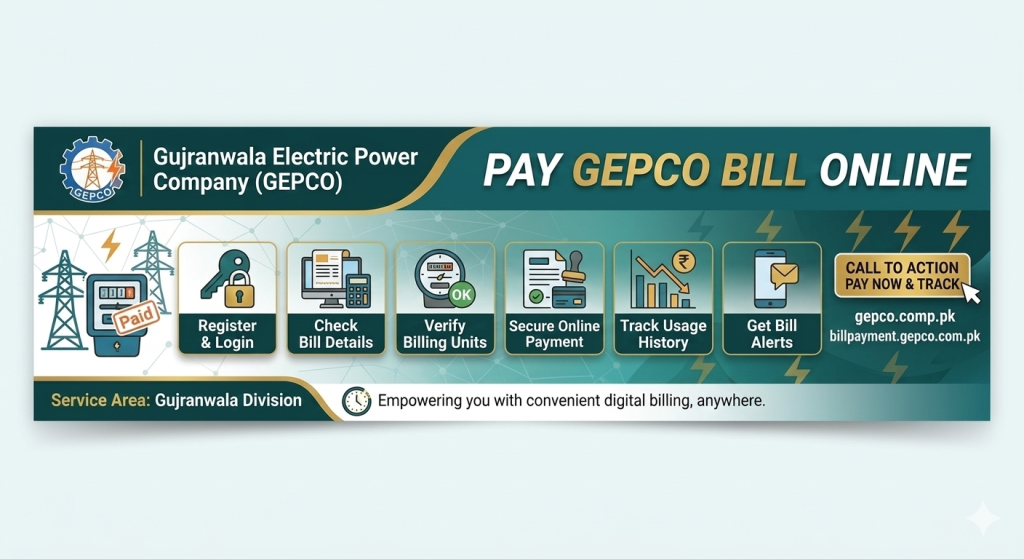
Working As A Developer in Gepco For Serving people. So, they can view and downlaod gepco bills online easily. Support me by sharing link on social media
اپنا GEPCO بجلی کا بل چیک کرنے کے بعد، آپ درج ذیل طریقوں میں سے کسی سے بھی آسانی سے ادائیگی کر سکتے ہیں۔ ادائیگی کے لیے ہمیشہ اپنا 14 ہندسوں کا ریفرنس نمبر ساتھ رکھیں۔
1. بینک برانچ کے ذریعے
پاکستان کے تقریباً تمام بڑے کمرشل بینکوں کی برانچز — جیسے HBL، UBL، MCB، Bank Alfalah، Allied Bank، National Bank، اور Bank of Punjab — GEPCO بل قبول کرتی ہیں۔ بل کاؤنٹر پر جمع کروائیں اور رسید ضرور محفوظ رکھیں۔
2. موبائل والٹ ایپس (JazzCash / EasyPaisa)
ایپ کھولیں، “Bill Payment” سیکشن میں جائیں، GEPCO منتخب کریں، ریفرنس نمبر درج کریں، تفصیلات کی تصدیق کریں، اور ادائیگی مکمل کریں۔ فوری تصدیقی نوٹیفیکیشن موصول ہوگی۔
3. بینک موبائل ایپس / انٹرنیٹ بینکنگ
اگر آپ کا بینک اکاؤنٹ ہے تو اسی بینک کی موبائل ایپ سے بھی بل ادا کیا جا سکتا ہے — لاگ ان کریں، Bill Payment منتخب کریں، ریفرنس نمبر درج کر کے ادائیگی کریں۔
4. ATM کے ذریعے
زیادہ تر بینکوں کی ATM مشینوں پر Utility Bill Payment کا آپشن موجود ہے۔ کارڈ لگائیں، بل کی قسم منتخب کریں، ریفرنس نمبر درج کریں، اور ادائیگی کریں۔
5. پوسٹ آفس
پاکستان بھر کے پوسٹ آفسز بھی بجلی کے بل وصول کرنے کے مجاز ہیں — بینک کی طرح ہی رسید ملتی ہے۔
واضح رہے: GEPCO یا کوئی بھی پاکستانی بجلی کمپنی سونا، زیورات، یا کسی اور جنس (barter) کی صورت میں بل قبول نہیں کرتی — ادائیگی صرف روپے میں، اوپر دیے گئے طریقوں سے ہی قبول کی جاتی ہے۔
سونے کی قیمت اور بجلی کے بل کا اصل تعلق کیا ہے؟
سونے سے براہِ راست بل ادا نہیں کیا جا سکتا، لیکن سونے کی قیمت اور آپ کے بجلی کے بل کے درمیان ایک بالواسطہ (indirect) اقتصادی تعلق ضرور موجود ہے — اور یہ سمجھنا آپ کے بل کو بہتر انداز میں سمجھنے میں مددگار ہو سکتا ہے۔
روپے کی قدر اور فیول ایڈجسٹمنٹ (FPA)
پاکستان اپنی بجلی پیدا کرنے کے لیے کافی حد تک درآمد شدہ ایندھن پر انحصار کرتا ہے، جس کی قیمت ڈالر میں طے ہوتی ہے۔ جب روپے کی قدر ڈالر کے مقابلے میں کم ہوتی ہے، تو ایندھن کی درآمدی لاگت بڑھ جاتی ہے — اور یہ اضافی لاگت “Fuel Price Adjustment (FPA)” کی مد میں صارفین کے بل میں شامل کر دی جاتی ہے۔
سونا اور روپے کی قدر کا تعلق
سونا عام طور پر ایک “محفوظ سرمایہ کاری” (safe haven asset) سمجھا جاتا ہے۔ جب روپے کی قدر میں غیر یقینی صورتحال یا کمی ہوتی ہے، تو اکثر لوگ اپنی بچت کو سونے کی صورت میں محفوظ کرنے کی طرف مائل ہوتے ہیں، جس سے مقامی سطح پر سونے کی طلب اور قیمت بڑھ سکتی ہے۔
یعنی جب روپیہ کمزور ہوتا ہے، تو دو چیزیں بیک وقت ہو سکتی ہیں: سونے کی قیمت میں اضافہ، اور بجلی کے بل میں FPA کی مد میں اضافہ۔ یہ دونوں چیزیں براہِ راست ایک دوسرے کی وجہ نہیں بنتیں — بلکہ دونوں ایک ہی بنیادی وجہ (روپے کی کمزوری) کا نتیجہ ہوتی ہیں۔
یہ ایک عمومی اقتصادی اصول ہے، کوئی مخصوص شماریاتی (statistical) تعلق نہیں — بجلی کے بل میں اضافے کی بہت سی دیگر وجوہات بھی ہو سکتی ہیں جیسے ٹیرف میں سرکاری نظرثانی، موسمی استعمال میں اضافہ، یا نئے ٹیکس۔
FESCO اور GEPCO کی نجکاری: EOI جمع کرانے کی تاریخ میں توسیع
پرائیویٹائزیشن کمیشن نے فیصل آباد الیکٹرک سپلائی کمپنی (FESCO) اور گوجرانوالہ الیکٹرک پاور کمپنی (GEPCO) کی نجکاری کے لیے سرمایہ کاروں سے Expressions of Interest (EOIs) جمع کرانے کی مدت میں توسیع کر دی ہے۔ یہ دونوں کمپنیاں حکومت کے Batch-I DISCOs نجکاری پروگرام کا حصہ ہیں۔
نئی تاریخیں:
FESCO: 7 اگست 2026
GEPCO: 21 اگست 2026
اسلام آباد الیکٹرک سپلائی کمپنی (IESCO) کی تاریخ میں کوئی تبدیلی نہیں — وہ 7 ستمبر 2026 ہی رہے گی۔
یہ توسیع ان سرمایہ کاروں کی درخواست پر دی گئی ہے جنہیں اپنی اندرونی جانچ اور دستاویزات مکمل کرنے کے لیے مزید وقت درکار تھا۔ حکومت پاکستان ان تقسیم کار کمپنیوں میں 51 فیصد سے 100 فیصد تک حصص اور انتظامی کنٹرول سرمایہ کاروں کو دینے کی پیشکش کر رہی ہے، تاکہ ایسے سٹریٹجک پارٹنرز حاصل کیے جا سکیں جو کارکردگی بہتر بنائیں، نقصانات کم کریں، اور بجلی کی تقسیم کا نظام مضبوط کریں۔
آپ کی ویب سائٹ کے لیے ایک اہم بات: چونکہ GEPCO خود نجکاری کے عمل سے گزر رہی ہے، اس کا مطلب یہ ہو سکتا ہے کہ آنے والے مہینوں/سالوں میں GEPCO کا نام، ویب سائٹ، بلنگ سسٹم، یا حتیٰ کہ ریفرنس نمبر کا فارمیٹ بھی تبدیل ہو سکتا ہے اگر نیا مالک انتظامی نظام بدلے۔ اگر آپ چاہیں تو میں آپ کی ویب سائٹ کے About/Disclaimer سیکشن میں ایک مختصر جملہ شامل کر سکتا ہوں کہ یہ ٹول موجودہ GEPCO نظام کے مطابق کام کرتا ہے اور نجکاری کے بعد ممکنہ تبدیلیوں سے متاثر ہو سکتا ہے — یہ شفافیت کا ایک اور اچھا اشارہ ہوگا۔
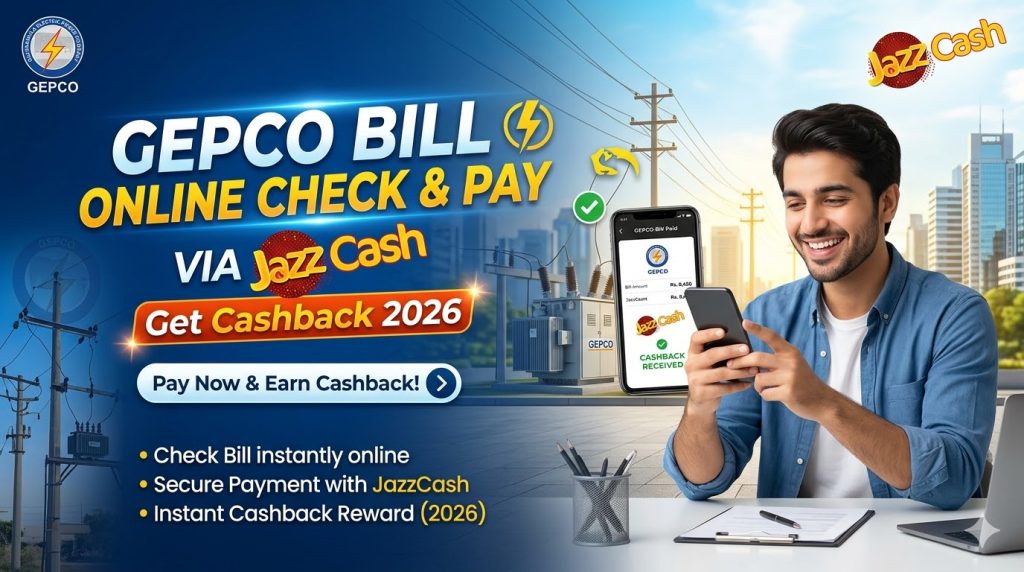
How to Pay GEPCO Bill Online and Get Cashback from JazzCash in Pakistan
Your complete guide to GEPCO bill online check, instant payment via JazzCash, and earning real cashback — all from your phone.
📅 April 2026⏱ 8 min read🇵🇰 Pakistan Guide
Introduction
If you are searching for GEPCO bill online check, you are in the right place. Paying your electricity bill in Pakistan is now easier than ever. With apps like JazzCash, you can not only pay your GEPCO bill online but also earn real cashback rewards — directly into your wallet.
In this complete guide, you will learn step by step how to check your GEPCO bill online, how to pay it using the JazzCash app, how to claim cashback offers in 2026, how to download a duplicate bill, and much more. Whether you are a first-time user or just looking for a faster way to manage your electricity payments, this guide covers everything you need to know.
📍 GEPCO serves over 8 million consumers across the Gujranwala Division
What Is GEPCO and What Is JazzCash?
⚡
What is GEPCO?
Gujranwala Electric Power Company (GEPCO) supplies electricity to cities like Gujranwala, Sialkot, Gujrat, Hafizabad, Mandi Bahauddin, and surrounding areas. Every month, millions of consumers receive a bill that can now be paid online — no need to visit a bank or GEPCO office.
📱
What is JazzCash?
Pay utility bills instantly
Send and receive money
Mobile load and packages
Earn cashback on bill payments
No bank account needed
SBP-regulated & secure
JazzCash is one of Pakistan’s leading mobile financial services platforms with over 30 million registered users. It has become the go-to app for digital payments across Pakistan — and for good reason. It is fast, safe, easy to use, and often rewards you for paying your bills on time.
JazzCash Cashback Offer on GEPCO Bill Payment (2026)
One of the biggest reasons people prefer GEPCO bill payment via JazzCash is the cashback offer. JazzCash regularly runs promotions where paying your electricity bill earns you real money back. Here is a quick breakdown of the current offer structure:
💰 JazzCash Cashback Summary — April 2026
Rs. 20–100
Cashback Amount
Rs. 500+
Min. Bill Amount
1× / Month
Per Consumer
24 hrs
Credit Time
Get Rs. 20 – Rs. 100 cashback on qualifying GEPCO bill payments
Valid on the first bill payment of the month only
Minimum bill amount required — typically Rs. 500 or above
Offer validity and cashback rate may change monthly
Cashback is credited directly to your JazzCash wallet within 24 hours
👉 Pro Tip: Always check the “Promotions” or “Offers” section inside the JazzCash app before making your payment. This ensures you never miss an active cashback deal on your GEPCO electricity bill.
Step 1: GEPCO Bill Online Check — Do This First
Before you pay, you need to know exactly how much you owe. Here is the fastest way to do a GEPCO bill online check and even download your duplicate bill:
Enter Your 14-Digit Reference NumberYour consumer reference number is printed in the top-right area of your GEPCO paper bill. It is a unique 14-digit code assigned to your meter connection.
2
Click on “Check Bill”Hit the search button and your current bill details will appear within seconds — consumer name, amount due, billing month, and due date all in one screen.
3
View or Download Your Duplicate BillIf you have lost your original GEPCO bill, click the Download button to get a free PDF copy. This GEPCO duplicate bill is accepted as an official document for payments, address verification, and more.
Step 2: How to Pay Your GEPCO Bill via JazzCash (Full Guide)
Once you have checked your bill amount, follow these simple steps to complete your GEPCO bill payment via JazzCash:
1
Open the JazzCash AppDownload JazzCash from the Google Play Store or Apple App Store if you have not already. Open the app and log in using your registered mobile number and MPIN.
2
Tap on “Utility Bills”On the JazzCash home screen, tap the “Pay Bills” or “Utility Bills” option. It is displayed prominently on the main dashboard for easy access.
3
Select “Electricity”From the list of bill categories, choose “Electricity” to see all available DISCOs (electricity distribution companies) in Pakistan.
4
Choose GEPCO from the ListScroll through the list and select GEPCO (Gujranwala Electric Power Company). Make sure you pick the correct company for your area.
5
Enter Your 14-Digit Reference NumberCarefully type in your GEPCO consumer reference number. You can get this from your physical bill or from the GEPCO bill online check portal. One wrong digit can cause a payment error.
6
Verify Bill DetailsJazzCash will automatically fetch your bill from GEPCO’s system. Check the consumer name, amount due, and due date carefully before proceeding.
7
Make Sure Your Wallet Balance Is SufficientYour JazzCash wallet must have enough balance to cover the full bill amount. If it is low, top it up through a Jazz retailer, ATM, or internet banking before continuing.
8
Tap “Pay Now” and Confirm with Your PINTap the Pay Now button. You will be prompted to enter your 4 or 6-digit JazzCash MPIN to authorize the transaction. Enter it and confirm your payment.
9
Save Your Payment ReceiptAfter a successful payment, you will receive an SMS confirmation and an in-app receipt. Take a screenshot immediately and save it as proof — especially if you paid close to the due date.
That is it! The entire process takes under 2 minutes from opening the app to receiving your payment confirmation. This is genuinely the best way to handle how to pay electricity bill online in Pakistan in 2026.
How to Get Cashback from JazzCash on GEPCO Bill
To make sure you actually receive the JazzCash cashback offer on your GEPCO bill, follow these key conditions:
Use the JazzCash mobile app — cashback does not apply to USSD (*786#) payments
Pay directly from your JazzCash wallet balance (not via debit/credit card)
Ensure a cashback offer is currently active — check the Promotions section first
Pay before the due date — late payments may not qualify for cashback
Use an eligible bill amount — usually Rs. 500 or higher
Your JazzCash account must be verified (at least Level 1 biometric)
Cashback is limited to one transaction per consumer per billing cycle
💡 Cashback Credit Time: Your cashback is usually credited instantly or within 24 hours of a successful qualifying payment. It appears directly in your JazzCash wallet and can be used for future payments or withdrawals.
JazzCash App Features: Why It Is the Best for Bill Payments
Beyond just paying bills, JazzCash is a complete financial tool for everyday life in Pakistan. Here are its key features that make it stand out:
📱
Mobile Wallet
Store, send, and receive money — no bank account required
⚡
Instant Bill Pay
Pay GEPCO and all utility bills in under 60 seconds
💰
Cashback Rewards
Earn real cashback on qualifying bill payments every month
JazzCash also supports bill payments for LESCO, IESCO, FESCO, HESCO, MEPCO, PESCO, K-Electric, SNGPL gas, PTCL, and many more — making it a true one-stop financial super app for Pakistani consumers.
JazzCash vs Other Payment Methods: Which Is Best?
There are several ways to pay your GEPCO bill. Here is a clear comparison so you can pick the best option for you:
Method
Cashback
Convenience
Speed
Bank Account Needed
Available 24/7
JazzCash App
✅ Yes
⭐⭐⭐⭐⭐
Instant
✗ No
✓ Yes
Easypaisa App
Sometimes
⭐⭐⭐⭐⭐
Instant
✗ No
✓ Yes
Internet Banking
❌ Rarely
⭐⭐⭐⭐
Instant
✓ Required
✓ Yes
ATM
❌ No
⭐⭐⭐
Instant
✓ Required
✓ Yes
Physical Bank
❌ No
⭐⭐
Very Slow
Usually Yes
✗ Bank Hours
GEPCO Office
❌ No
⭐⭐
Very Slow
✗ No
✗ Office Hours
👉 Clearly, JazzCash is the best option for anyone who wants cashback, convenience, and instant payment — especially without needing a traditional bank account.
Benefits of Paying GEPCO Bill Online
Switching to online GEPCO bill payment in Pakistan has real, practical benefits for every consumer:
No need to stand in long, time-wasting queues at banks or GEPCO offices
Pay anytime, anywhere — even at midnight on a Sunday
Instant payment confirmation via SMS and in-app receipt
Earn cashback and digital rewards through JazzCash promotions
Download your GEPCO duplicate bill in seconds for free
Keep a full digital payment history — no risk of losing paper receipts
Secure transactions protected by PIN and two-factor authentication
Avoid late payment surcharges by paying on time, easily
⚠️ Common Issues and How to Fix Them
Problem
Solution
Payment Failed
Retry after a few minutes or check your internet connection. Make sure your wallet balance is sufficient before retrying.
Cashback Not Received
Check that the cashback offer was active at the time of payment. Cashback may take up to 24–72 hours to credit. Contact JazzCash support if not received after 3 days.
Wrong Reference Number Entered
Always double-check your 14-digit reference number before confirming. If paid to the wrong account, contact JazzCash support immediately with your transaction ID.
Balance Deducted But No Confirmation
Wait 30–60 minutes. The amount usually auto-reverses if the transaction failed. If not reversed within 24 hours, call JazzCash at 051-111-124-124.
App Not Loading / Crashing
Update the JazzCash app to the latest version from your app store. Clear cache or reinstall if the issue persists.
💡 Tips to Avoid Payment Problems
Save your GEPCO reference number inside the JazzCash app as a favourite biller — so you never have to re-enter it
Pay at least 2–3 days before the due date to avoid last-minute system delays
Always take a screenshot of your payment receipt immediately after completing the transaction
Keep the JazzCash app updated to the latest version for the best experience and newest cashback offers
If you are a tenant, confirm the correct reference number with your landlord before paying
Do not pay on the very last due date — GEPCO and JazzCash systems can sometimes be busy during peak hours
Check the “Promotions” tab in JazzCash before every payment to make sure an active cashback offer is running
GEPCO Bill Check April 2026: Key Things to Know
If you are looking for your GEPCO bill for April 2026, here is what to keep in mind:
Bills reflect spring transition — electricity usage typically shifts from heating to cooling this month
Fuel adjustment charges may be applied on top of your base tariff — check the full bill breakdown
NEPRA-approved tariff adjustments can increase or decrease your total monthly amount
Due date is typically 15–20 days from the bill issue date — check it carefully
Your April 2026 GEPCO duplicate bill can be downloaded for free at any time
Frequently Asked Questions (FAQs)
Can I pay my GEPCO bill online?
Yes, you can easily pay your GEPCO bill online using JazzCash, Easypaisa, or your bank’s mobile app. JazzCash is the most recommended option because it offers cashback rewards and requires no bank account.
How do I get cashback on my GEPCO bill using JazzCash?
Open the JazzCash app, check the Promotions section to confirm an active cashback offer, then pay your GEPCO bill through the app using your wallet balance before the due date. Cashback is credited to your JazzCash wallet within 24 hours.
Is JazzCash safe for making bill payments?
Yes, JazzCash is a fully secure and widely trusted app in Pakistan. It is regulated by the State Bank of Pakistan (SBP) and uses PIN-protected transactions to ensure your money is always safe.
What is a GEPCO reference number and where do I find it?
A GEPCO reference number is a unique 14-digit code printed on your monthly electricity bill — usually found in the top-right corner. You need this number to check your bill online or make a payment through JazzCash or any other platform.
Can I download a GEPCO duplicate bill online?
Yes. Visit gepcobillonlinecheck.pk, enter your 14-digit reference number, and click Download or Print. Your GEPCO duplicate bill PDF is available instantly and completely free of charge.
How long does JazzCash take to update GEPCO payment status?
GEPCO payment status is usually updated within 24–48 hours after a successful JazzCash payment. Always save your JazzCash receipt as proof of payment, especially if you paid close to the due date.
What should I do if my JazzCash payment fails but the amount is deducted?
Wait 30–60 minutes — the amount usually reverses automatically. If the balance is not returned within 24 hours, contact JazzCash customer support at 051-111-124-124 and provide your transaction reference number.
✅ Don’t Wait — Check and Pay Your GEPCO Bill Right Now!
Skip the queue. Check your GEPCO bill online in seconds, download your duplicate bill if needed, and pay through JazzCash to enjoy instant cashback and completely hassle-free payments.
If you are tired of paying sky-high electricity bills every month and you are sitting in Gujranwala, Sialkot, Hafizabad, Gujrat, or any other area covered by GEPCO, then solar net metering is one of the smartest moves you can make right now. But most people get stuck because they do not know the exact steps, the real documents required, or how the whole billing system actually works after installation.
This guide covers everything — from eligibility to documents, from fees to timelines — so you can apply with confidence in 2026. For More Checking Gepco Bill Online Visit Us Please.
What Is Net Metering and Why Does It Matter for GEPCO Consumers?
Net metering is a government-approved system that lets you install solar panels on your home or business, feed the extra electricity you generate back into the national grid, and get credited for every unit you send. At the end of the month, you only pay for the “net” difference between what you used from the grid and what you pushed back into it.
For example, if your household consumed 400 units in a month but your solar system generated and exported 250 units back to GEPCO’s grid, you would only be billed for 150 units. If you export more than you consume, those excess units roll over as credits to your next bill — they are not paid out in cash, but they reduce future bills significantly.
This system is regulated under NEPRA’s (National Electric Power Regulatory Authority) Net Metering Regulations 2015, and GEPCO is one of the DISCOs (Distribution Companies) authorized to process these applications.
Who Is Eligible to Apply for GEPCO Net Metering in 2026?
Before you start gathering documents, make sure you meet the basic eligibility criteria:
You must be an existing GEPCO consumer with an active electricity connection (domestic, commercial, or industrial).
Your solar system must be between 1 kW and 1,000 kW (1 MW) in capacity.
The system must use an inverter that is approved by NEPRA — not every inverter qualifies, so check with your solar vendor before purchasing.
You must own or have legal authority over the property where the solar panels will be installed.
Your existing meter must be a single-phase or three-phase connection — net metering is available for both.
There must be no outstanding dues or pending disconnection orders on your account.
Required Documents for GEPCO Net Metering Application
This is where most applicants waste weeks by submitting incomplete paperwork. Below is the exact list of documents GEPCO requires as of 2026:
Completed Net Metering Application Form — available at any GEPCO subdivision office or downloadable from gepco.com.pk
Copy of latest paid electricity bill — must show your consumer reference number
Copy of CNIC (Computerized National Identity Card) of the applicant
Ownership proof of the property — this can be a registered sale deed, allotment letter, or property tax receipt
Single Line Diagram (SLD) of the solar system — prepared and stamped by a licensed electrical engineer
Technical specifications sheet of the solar inverter — must be a NEPRA-approved model
Technical specifications sheet of the solar panels (module datasheet)
Load calculation sheet — showing your average monthly load in kW
Site layout plan — indicating the location of panels on your rooftop
Copy of contract/agreement with your solar installation company (licensed by AEDB — Alternative Energy Development Board)
AEDB license of the solar installer — your installer must be registered with AEDB; always verify this before signing any contract
Bank guarantee or insurance bond — required for systems above 25 kW; the amount is calculated based on system size
Authorization letter (if someone else is applying on your behalf)
Step-by-Step GEPCO Net Metering Application Process
Step 1 — Choose a NEPRA-Approved Inverter and AEDB-Licensed Installer
Before anything else, confirm that your solar vendor is registered with AEDB and that the inverter model they are proposing is on NEPRA’s approved list. This is the most common reason for application rejection.
Step 2 — Get the Technical Documents Prepared
Ask your installer to prepare the Single Line Diagram, load calculation sheet, and site layout plan. These must carry the stamp of a licensed electrical engineer. Do not sign off on generic documents — GEPCO’s technical team scrutinizes these carefully.
Step 3 — Submit Your Application to the GEPCO Subdivision Office
Visit the GEPCO subdivision office that corresponds to your area. Submit all documents listed above along with the completed application form. You will receive an acknowledgment receipt with a tracking number — keep this safe.
You can also call 118 to confirm which subdivision office handles your area before making the trip.
Step 4 — Technical Inspection by GEPCO Team
After submission, GEPCO’s technical team will visit your premises to inspect the site. They verify that the proposed panel placement is feasible, the inverter is correctly rated, and the existing wiring can handle the system. This inspection typically happens within 15 to 30 working days of application submission.
Step 5 — Letter of Intent (LOI) Issued
If the inspection passes, GEPCO issues a Letter of Intent (LOI). This is the green light to proceed with the actual solar installation. Do not start installing before receiving the LOI — panels installed without LOI can be rejected during metering.
Step 6 — Solar System Installation
Once you have the LOI in hand, your AEDB-licensed installer can proceed with the full installation. The typical residential installation (3–10 kW) takes 2 to 5 days.
Step 7 — Net Meter Installation and Connection Agreement
After installation, you apply again to GEPCO for the net meter installation. GEPCO replaces your standard meter with a bidirectional (import/export) meter. A Distribution Interconnection Agreement is signed between you and GEPCO at this stage, formalizing your rights and responsibilities as a net metering consumer.
Step 8 — System Energization and Commercial Operation
GEPCO activates the system and you officially become a net metering consumer. Your next electricity bill will reflect your export units as credits.
GEPCO Net Metering Fees and Costs in 2026
Understanding the costs upfront saves a lot of confusion later.
Fee / Cost Item
Approximate Amount (PKR)
Application processing fee
Rs. 500 – Rs. 1,000 (varies by subdivision)
Bidirectional net meter cost
Rs. 15,000 – Rs. 25,000 (installed by GEPCO)
GEPCO inspection fee
Rs. 2,000 – Rs. 5,000
Distribution Interconnection Agreement fee
Rs. 1,000 – Rs. 2,000
Bank guarantee (for systems above 25 kW)
5% of system cost approximately
Solar system installation (3 kW residential)
Rs. 350,000 – Rs. 500,000 (market rate 2026)
Solar system installation (5 kW residential)
Rs. 500,000 – Rs. 700,000 (market rate 2026)
Solar system installation (10 kW residential)
Rs. 900,000 – Rs. 1,300,000 (market rate 2026)
Note: These are estimated ranges. Actual meter cost and fees are determined by GEPCO at the time of application. Solar system prices vary based on panel brand, inverter model, and installer.
How Does GEPCO Billing Work After Net Metering?
This is the part most new applicants misunderstand. Here is exactly how it works:
Your bidirectional meter records two readings separately — import units (electricity you pulled from the grid) and export units (electricity you pushed back into the grid).
At the end of the billing month:
If import > export: You pay for the net units (import minus export) at your applicable per-unit tariff, plus fixed charges and taxes.
If export > import: The excess units are carried forward as credits to your next month’s Gepco Online bill. NEPRA’s regulations currently allow these credits to roll forward for up to 12 months.
One important thing to note: the buyback rate for exported units is different from the retail tariff you pay for imported units. As of current NEPRA regulations, the buyback rate is determined periodically and is generally lower than the retail purchase tariff. This means it is more economical to use your solar energy directly than to export it and buy it back.
Processing Timeline — What to Expect Month by Month
Stage
Expected Timeline
Application submission to technical inspection
15 – 30 working days
Inspection to Letter of Intent issuance
7 – 15 working days
Solar system installation (after LOI)
3 – 7 days (typical residential)
Net meter installation by GEPCO
15 – 30 working days after installation
Total end-to-end process
2 – 4 months (realistic estimate)
Delays are common if documents are incomplete or if your subdivision office has a backlog. Calling GEPCO’s helpline at 118 to follow up every two weeks is a good practice.
Common Reasons for Application Rejection
Knowing what gets applications rejected will save you from starting over:
Inverter model not on NEPRA’s approved list
Installer does not have a valid AEDB license
Single Line Diagram is not stamped by a licensed engineer
Property ownership documents are incomplete or do not match the CNIC name
Outstanding electricity dues on the account
Proposed system size exceeds what your sanctioned load can support
Site inspection finds structural issues with the rooftop
Is Net Metering Worth It in 2026 for GEPCO Consumers?
With electricity tariffs in Pakistan continuing to rise in 2026, the payback period for a well-sized solar system has shortened considerably. A 5 kW system that used to take 6 to 8 years to pay back is now recouping costs in 4 to 5 years in many cases, depending on your consumption pattern and the number of peak sunlight hours in your area.
GEPCO’s coverage area — including Gujranwala, Sialkot, Narowal, Gujrat, Hafizabad, Mandi Bahauddin, and surrounding districts — receives excellent solar irradiance, making it one of the better regions in Pakistan for solar investment.
For most households consuming between 400 and 1,000 units per month, a 5 to 10 kW system makes strong financial sense. Consumers using over 700 units per month are in a higher tariff slab and will see the most dramatic reduction in bills.
GEPCO Contact Information
Helpline: 118 (24/7 for outages, billing queries, and net metering follow-ups)
Official Website: gepco.com.pk
Head Office: GEPCO Head Office, Gujranwala
Email complaints: Available through the official website’s contact section
For the latest information on subdivision office addresses and officer contacts, always check gepco.com.pk directly as offices and personnel change periodically.
Frequently Asked Questions (FAQs)
Q1. Can I apply for net metering on a rented property in GEPCO’s area?
Technically, the application must be in the name of the electricity account holder. If you are a tenant, the net metering application must be filed by the property owner or by you with a notarized authorization letter from the owner. GEPCO does not transfer net metering agreements if the tenant changes, so most landlords prefer to handle it themselves. Clarify this with your subdivision office before applying.
Q2. What is the minimum and maximum system size allowed under GEPCO net metering?
NEPRA regulations allow net metering for systems as small as 1 kW and as large as 1,000 kW (1 MW). For most residential consumers, practical sizes fall between 3 kW and 20 kW. Your system size should ideally not exceed your sanctioned load — GEPCO may ask you to revise the application if it does.
Q3. How long does GEPCO take to install the bidirectional meter after my solar system is installed?
After you submit the post-installation request along with the inspection certificate from your installer, GEPCO typically installs the net meter within 15 to 30 working days. In practice, this can stretch to 45 days during busy periods. Calling 118 to follow up regularly helps move things along. Do not switch on your solar system in export mode before the net meter is installed — this can damage equipment and create billing disputes.
Q4. What happens to my solar export credits if I move or sell the property?
Accumulated net metering credits are tied to the electricity account number, not to the person. If you sell the property and the new owner takes over the electricity connection, the credits transfer with the account. If you are moving and closing the account, unused credits are typically forfeited — they are not converted to cash by GEPCO. This is one reason why right-sizing your system to avoid large monthly surpluses matters.
Q5. Do I need to pay any monthly fixed charges even if my solar system covers all my consumption?
Yes. Even if your net imported units from the grid are zero for a given month, GEPCO will still charge fixed charges (also called capacity charges or meter rent), taxes, and fuel price adjustment (FPA) as applicable. These cannot be offset by export credits. For most residential consumers, these fixed charges amount to Rs. 400 to Rs. 1,500 per month depending on your connection type and sanctioned load. So your bill will never truly be zero, but it can be reduced dramatically.
If you live in Gujranwala, Sialkot, Narowal, Gujrat, Hafizabad, or Mandi Bahauddin, your electricity is supplied by the Gujranwala Electric Power Company (GEPCO). While GEPCO serves millions of consumers across Punjab, billing errors — inflated readings, wrong slab calculations, extended billing cycles — are a documented, widespread problem.
NEPRA fined GEPCO Rs. 50 million in late 2025 for overbilling consumers, admitting the company “affected millions of consumers” through manipulated meter readings that caused T&D losses to exceed the 9% regulatory limit and reach 11.48%. That fine confirms what many consumers already know: your inflated bill is not always a coincidence.
This guide gives you every real tool you need — verified helpline numbers, official website links, required documents, step-by-step complaint procedures, timelines, and escalation paths — to fight back and get your money corrected or refunded.
Who Is This Guide For?
This guide is for GEPCO consumers who:
Received a bill significantly higher than their normal usage
Believe their meter was not read correctly
Were billed for more than 30 days in a single cycle
Were wrongly moved to a higher tariff slab (e.g., Protected → Unprotected)
Found suspicious charges like arrears, LPS (Late Payment Surcharge), or adjustment units they don’t recognize
Common Causes of Overbilling in GEPCO
Before filing a complaint, it helps to understand why your bill may be inflated:
Cause
What Happens
Extended billing cycle (>30 days)
More units pushed into a higher slab
Estimated reading instead of actual
Meter not physically read; estimate applied
Wrong consumer category
Moved from Protected to Unprotected without reason
Faulty or slow meter
Meter overcounts units consumed
Carry-forward arrears
Old dues added without explanation
Incorrect sanctioned load
Incorrect load on record triggers higher fixed charges
Billing period manipulation
Over 1.2 million GEPCO consumers were billed for more than a 30-day billing cycle in August 2023, causing slab changes from lower to higher and status changes from Protected to Unprotected for thousands of consumers. The Express Tribune
What You Need Before Filing a Complaint
Gather these documents before you call, visit, or submit online. The more you have, the faster your case moves:
Current electricity bill (the one you’re disputing) — full original copy
Last 3–6 months’ bills — to show your normal consumption pattern
CNIC (National Identity Card) — original and photocopy
14-digit Reference Number — printed on the top-left corner of every GEPCO bill
Meter reading photograph — taken on the date you received the bill (if possible)
Mobile number registered with GEPCO — for SMS tracking updates
Written consumption history — note down your average monthly units for the complaint officer
GEPCO Official Contact Information (2026)
Channel
Details
Primary Helpline
118 (24/7, free from any mobile or landline)
SMS Complaint
Send complaint to 8118
HQ Phone
+92-55-9200504, +92-55-9200516, +92-55-9200592
Head Office (Senior Complaints)
055-9200513
Emergency / Control Room
055-9200592
Official Website
gepco.com.pk
Bill Check Portal
bill.pitc.com.pk
HQ Address
565-A, Model Town, G.T Road, Gujranwala
The GEPCO helpline number 118 is available 24/7, and you can register your complaint at any time of the day or night. Online GEPCO Bill
Method 1 — File a Complaint by Phone (Helpline 118)
This is the fastest first step for most consumers.
Step 1: Dial 118 from any Pakistani mobile or landline — it is free of charge.
Step 2: When connected, tell the representative:
Your 14-digit reference number
Your name and CNIC
The billing month you are disputing
The nature of the problem (high bill, wrong reading, wrong slab, etc.)
Step 3: The agent logs your complaint and gives you a Complaint Reference/Ticket Number. Write this down immediately — you will need it for tracking.
Step 4: If you cannot get through on 118 (wait times increase during storms or peak summer months), you can send your complaint via SMS to 8118 or call the GEPCO regional headquarters directly. Onlinebillchecker
Resolution Timeline: First-level billing complaints are typically acknowledged within 24–48 hours. Investigation takes 7–14 working days.
Method 2 — File a Complaint Online via CCMS
GEPCO’s Customer Complaint Management System (CCMS) allows you to submit and track billing complaints without visiting any office.
Step 1: Go to gepco.com.pk and look for the “Complaint” or “E-Complaint” section.
Step 2: Click the online complaint/E-Form button.
Step 3: Fill in the following fields:
Full Name
14-digit Reference Number
CNIC
Mobile Number
Billing month under dispute
Nature of complaint (select “Overbilling / High Bill”)
Description of the problem (brief, factual — e.g., “Bill shows 850 units; normal average is 280 units”)
Step 4: Attach a photograph of your meter and the disputed bill if possible.
Step 5: Submit the form. The system generates a Ticket ID automatically.
Step 6: Use your Ticket ID on the CCMS portal to track the real-time status of your complaint, or call 118 with your reference number to request an update. You can also use the “GEPCO Light” mobile app to monitor progress. Onlinebillchecker
Method 3 — Visit Your Sub-Division Office in Person
If phone and online channels have not resolved your issue within 14 working days, visit your nearest GEPCO Sub-Division Office in person.
What to bring:
Original disputed bill + photocopies
CNIC original + photocopy
Meter reading photograph (on your phone is fine)
Previous 3 months’ bills
Your complaint ticket number (from phone/online complaint)
A written application addressed to the SDO (Sub-Divisional Officer)
What to say: Request a meter test if you believe the meter is faulty. You have a legal right to request a meter accuracy test under NEPRA Consumer Service Manual rules. A nominal fee may apply for the physical meter test (typically Rs. 200–500 depending on meter type), which is refunded if the meter is found defective.
Who to meet:
SDO (Sub-Divisional Officer) — first point of escalation
Revenue Officer — for billing disputes and slab corrections
XEN (Executive Engineer) — if SDO fails to resolve within the stipulated period
Method 4 — Escalate to NEPRA (Regulator)
If GEPCO does not resolve your complaint within 30 days, escalate to NEPRA — the National Electric Power Regulatory Authority.
Timeline of events (dates you complained, responses received)
Copies of disputed bills
Written summary of the dispute
NEPRA formally logs the complaint, issues a directive to GEPCO, and monitors resolution. NEPRA has shown it is willing to impose heavy fines — including Rs. 50 million against GEPCO — for overbilling violations, so this escalation path carries real weight. TechJuice
For consumers who want government-level tracking, the Pakistan Citizen Portal is another escalation route.
App: Download “Pakistan Citizen Portal” from Google Play or App Store
Web: complaints.app.gov.pk
Register a complaint against any DISCO, WAPDA, or NEPRA through the Citizen Portal. Complaints are tracked with a reference ID and escalated to the relevant department automatically. Checkbills
This channel is particularly useful when GEPCO is unresponsive at the local level, as it routes the complaint through the Prime Minister’s Delivery Unit.
GEPCO Slab Structure — How Overbilling Happens Through Slab Manipulation
One of the sneakiest forms of overbilling is slab jump caused by an inflated unit reading. Understanding GEPCO’s slab system shows why even a small overcounting of units can massively inflate your bill.
Units Consumed (Monthly)
Category
Notes
1 – 100 units
Lifeline (Protected)
Lowest tariff
101 – 200 units
Protected
Subsidized rate
201 – 300 units
Slab 3
Rate increases
301 – 500 units
Slab 4
Significantly higher
501 – 700 units
Slab 5
Peak domestic rate
700+ units
Slab 6
Highest domestic rate
If your actual consumption is 280 units but GEPCO bills you for 320 units (due to extended cycle or estimated reading), you move to Slab 4 — and every unit gets billed at the higher rate, not just the extra 40 units. This is how a small error creates a very large bill.
A fixed monthly service charge applies to every GEPCO consumer connection regardless of how much electricity is consumed, covering meter maintenance and distribution infrastructure costs. This charge does not change — but your units-based charges can double or triple with a slab change. Check Your Bill
Timelines to Expect
Stage
Expected Timeframe
Complaint registration (118 / online)
Immediate — ticket issued same day
Initial response / acknowledgment
24–48 hours
Meter reading verification
3–7 working days
Meter test (if requested)
7–10 working days
Bill correction / adjustment
7–14 working days after formal complaint submission Check Your Bill
NEPRA escalation response
30–45 days
Refund / credit in next bill
Usually in the billing cycle following resolution
Tips to Strengthen Your Complaint
Take meter photos monthly — on the day you receive your bill, photograph the meter display. This is your strongest evidence.
Keep all bills — at least 12 months of previous bills show your consumption pattern.
Don’t pay the disputed amount under protest without noting it — if you must pay to avoid disconnection, write “Paid Under Protest — Complaint Ref: [your ticket number]” on your payment receipt.
Follow up every 5–7 days — passive complaints get deprioritized. Call 118 regularly with your reference number.
Request everything in writing — ask the SDO or Revenue Officer to give you a written acknowledgment of any verbal assurances.
FAQ — GEPCO Overbilling Complaints 2026
Q1. What is the official GEPCO helpline number for billing complaints? The official GEPCO helpline is 118, available 24 hours a day, 7 days a week, free from any Pakistani mobile or landline. You can also send an SMS complaint to 8118. For head office escalation, call 055-9200513.
Q2. How long does GEPCO take to resolve an overbilling complaint? Billing disputes are typically investigated and resolved within 7 to 14 working days of formal complaint submission. If your case involves a physical meter test or category correction, it may take up to 30 days. If GEPCO does not resolve it within 30 days, escalate to NEPRA at nepra.org.pk. Check Your Bill
Q3. Can I refuse to pay my bill while my overbilling complaint is pending? This is a practical risk: GEPCO can disconnect your supply for non-payment even during a complaint. It is safer to pay the undisputed portion (your estimated normal bill amount) to avoid disconnection, while clearly noting “Paid Under Protest” on your receipt. Once the complaint is resolved, GEPCO adjusts or refunds the excess in your next billing cycle.
Q4. What documents do I need to file a GEPCO overbilling complaint? You need: (1) the disputed electricity bill, (2) your last 3–6 previous bills, (3) your CNIC, (4) your 14-digit reference number from the top of the bill, (5) a photograph of your meter showing the current reading, and (6) your registered mobile number. For in-person visits, bring originals and photocopies of all documents.
Q5. What if GEPCO ignores my complaint or fails to resolve it? You have three escalation options: (1) Visit the GEPCO Sub-Division office and meet the SDO in person; (2) File a complaint with NEPRA’s Consumer Affairs Department at nepra.org.pk or cad@nepra.org.pk; (3) Register a complaint on the Pakistan Citizen Portal (complaints.app.gov.pk), which routes directly to the PM Delivery Unit and forces a tracked response from GEPCO. NEPRA has demonstrated willingness to take strong action, having fined GEPCO Rs. 50 million for overbilling violations.
→ Back to Homepage → Related: How to Download Your GEPCO Duplicate Bill Online
About the Author: Nida Maqbool is a consumer rights and energy sector writer based in Punjab, Pakistan. He covers electricity billing, NEPRA regulations, and DISCO accountability, helping millions of Pakistani consumers understand and exercise their rights under the NEPRA Consumer Service Manual.